Android (POS on a different device)
Android (POS on a different device)
Use our Android (POS on a separate device) configuration to connect your POS to an Android payment device that is running the Payroc App. Your POS and the payment device don’t need to be on the same network or in the same location, but they must be connected to the internet.
Your POS system manages the checkout experience and sends instructions to the payment device, while the Payroc App processes the payment.
How it works
The following diagram describes the flow of a transaction between your POS, our gateway, and the payment device.
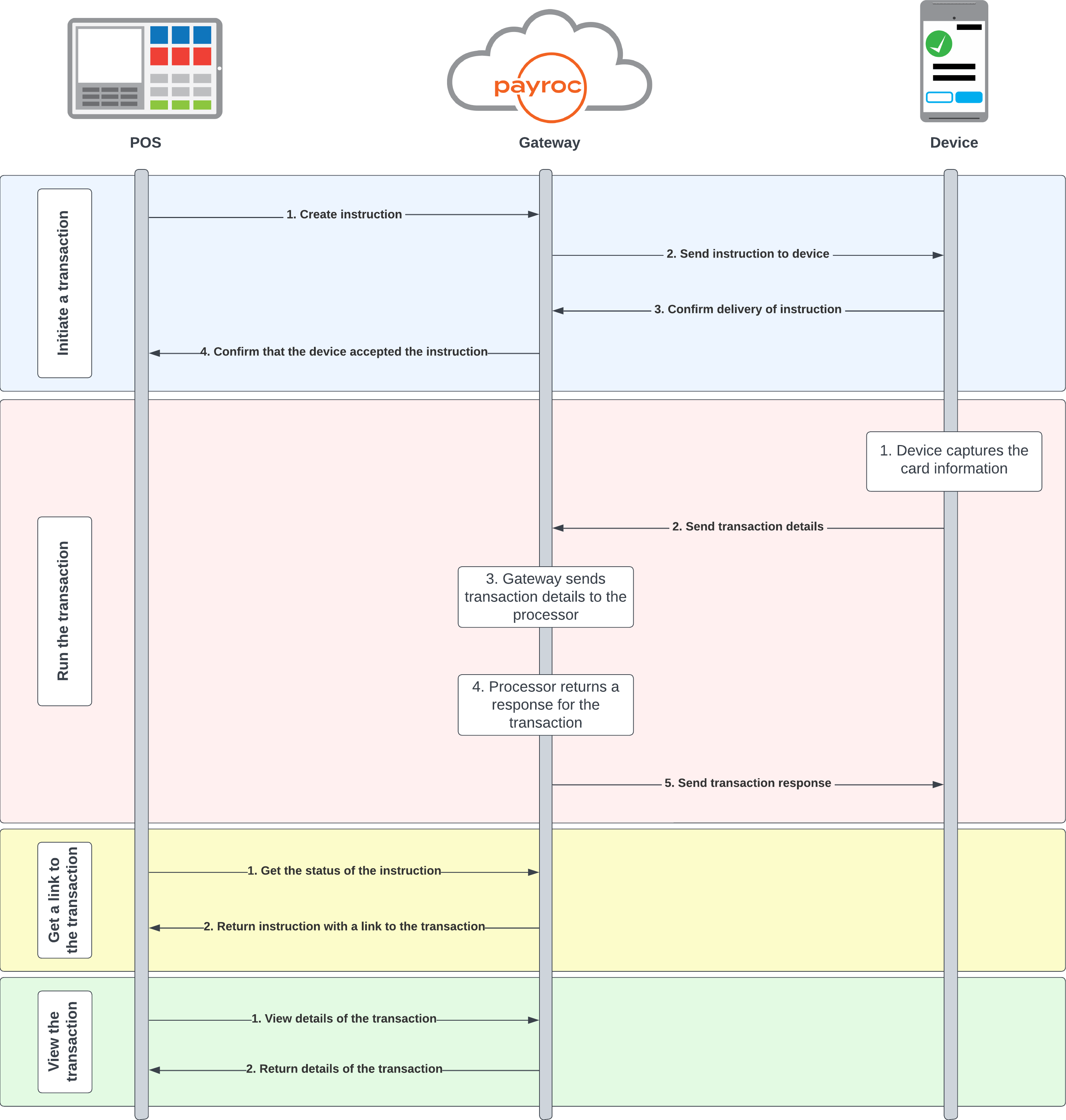
Initiate a transaction
- Your POS sends an instruction to our gateway.
- Our gateway passes the instruction to the payment device.
- The payment device confirms that it has received the instruction.
- Our gateway sends a response to your POS that contains an identifier for the instruction.
Run the transaction
- The payment device captures the card details.
- The payment device sends the transaction details to our gateway.
- Our gateway sends the transaction details to the processor.
- The processor sends a response to our gateway.
- Our gateway sends the response to the payment device.
Get a link to the transaction
- Your POS sends a request to our gateway to check the status of the instruction.
- Our gateway sends the response to your POS that contains a HATEOAS link to view the transaction.
View the transaction
- Your POS sends a request to our gateway to view the details of the transaction.
- Our gateway sends a response to your POS. The response contains details about the transaction.
Integration journey
- Use our API to send sale instructions to the payment device.
- Test your integration with our Payroc Cloud Simulator.

